
Blog

A person sitting at a desk on a video call with four team members, each shown in separate windows on a computer monitor.

How To Successfully Roll Out a Digital Collaboration Hub in Your Organization

How To Successfully Roll Out a Digital Collaboration Hub in Your Organization

Digital-first work models are here to stay, and organizations adopting a digital collaboration hub can empower teams to work flexibly, reduce commute times, and achieve better work-life balance. Yet when your team is scattered across different locations, each working from their own home office or remote space, it can be hard to manage collaboration if you don’t have the right systems in place. 

Many organizations opt to implement a digital collaboration hub to manage that environment. When done right, you can transform how your team communicates and build a foundation for more efficient workflows, stronger team alignment, and higher productivity across the board.

But even the most feature-rich collaboration tools for nonprofits or associations can fall flat without a thoughtful rollout strategy and strong leadership support. Poor planning, unclear goals, resistance to change, and lack of training can stall adoption before it even begins. 

In this article, we’ll walk through four critical success factors that can help your organization implement a collaboration hub and productivity solutions that actually stick and unlock its full potential for smarter, more connected work.

Why a Successful Digital Collaboration Hub Rollout Matters

With several projects on the go and emails constantly flooding in, communication might start to feel like a game of broken telephone if your organization doesn’t have a strong digital workplace strategy for your hybrid and remote work collaboration.

The promise of a digital collaboration hub is compelling: centralized platforms that bring together messaging, file sharing, project tracking, and real-time collaboration under one roof. But too often, organizations invest in new platforms only to find them underused or misused. 

Unnecessary complexity in your collaboration hub implementation may translate to ineffective adoption, where people work in silos with information scattered across tools and folders. Your staff might end up:

  • Spending a lot of time looking for information
  • Duplicating work if updates aren’t clearly tracked
  • Wasting time in redundant meetings
  • Missing important messages due to poorly managed settings
  • Having unauthorized access to functions and features due to unclear roles and permissions
  • Relying on inefficient workarounds or defaulting back to old habits

However, aligning the rollout with your organization’s values and daily routines will help your hub become a natural extension of how your team works together, but even better. Everyone can stay on the same page, and your team can enjoy an integrated contextual experience that increases transparency and visibility. The cost savings, revenue gains, and productivity improvement will follow.

4 Key Steps for a Successful Digital Collaboration Hub Implementation

When it comes to tools like Slack, Google Workspace, or Microsoft Teams, adoption isn’t automatic. You can’t simply install some software and expect people to know what to do for the implementation to succeed. Instead, you need to align people, processes, and technology for a smooth transition. Here’s how to lay the groundwork for an environment that supports real, everyday teamwork:

1. Set Clear Goals to Guide Your Collaboration Hub Rollout

The true value of a collaboration hub lies in how it streamlines workflows, connects teams across locations, and empowers your organization to deliver high-quality work to those you serve. To make that happen, your collaboration software setup needs to be driven by well-defined objectives. Do you want to enhance cross-department collaboration? Streamline task management? Make onboarding for new employees smoother? Improve document management?

Start by developing a project charter that outlines your goals, desired outcomes, and key success measures. When your implementation is guided by purpose, your team is more likely to adopt the platform with confidence and use it in ways that actually improve how they work.

2. Use a Consultative, Cross-Team Implementation Approach 

Implementing a collaboration hub is like moving into a new house: once all of your furniture is in place, it’s much harder to change the layout. 

Before you adopt a new collaboration hub, your organization needs to first assess how teams currently work, which workplace communication tools they rely on, and where they store key information. 

To create a platform that meets everyone’s needs, leaders should gather insights from all departments and speak to people on the ground, doing the work. With this data, organizations can create a roadmap for transition, one that incorporates change management, establishes sound governance, and sets clear standards for how the hub should function moving forward. This thorough planning will help you enjoy a new system that integrates seamlessly with existing workplace communication tools and workflows, minimizing disruption and maximizing long-term value.

3. Leadership Must Lead by Example 

If your top executives are still relying on email and paper documents while everyone else is encouraged to switch to a new digital collaboration platform, you will be communicating a clear message: maybe it’s not really that important. 

With this disconnect in engagement, employees may hesitate to adopt the new system, sticking to what’s familiar and comfortable. Over time, this lack of leadership buy-in will lead to low adoption rates, and the organization will miss out on the efficiencies and collaboration improvements the new system could bring.

Your organization’s executives and managers should show the way and model your desired behaviour by fully embracing the hub and integrating its team productivity tools into their daily routines. Every day, they should champion the value of this change and reinforce its importance. By emphasizing how the hub can drive efficiency across the organization, they help set the tone for adoption. They should also highlight employees who embody best practices to encourage others to follow suit.

4. Deliver Ongoing, Role-Specific Training for Successful Hub Adoption

There’s a reason we talk about a learning curve, as creatures of habit, changing how we work feels awkward, especially when old tendencies are deeply ingrained. 

Without clear, targeted support, people may fall back on familiar routines. The result? Some staff use the new system, others stick with the old one, and collaboration breaks down. Projects slow, communication gets messy, and IT headaches multiply.

Hands-on, customized, job-specific education makes all the difference for getting past the rocky startup phase when tasks take longer, mistakes are more common, and productivity dips. Whether it is Microsoft 365 training or for another platform, this type of guided learning is a critical part of change management for digital tools. Employees will have the confidence to work through feeling incompetent and start performing at their best.

Adopt and Optimize Your Collaboration Tools with designDATA

When your team first starts using new communication tools, it can feel like a lot of moving parts getting the team coordinated, learning the ins and outs, and adapting to a new way of working. Once those solutions are fully adopted and optimized, the payoff will be worth it. 

At designDATA, we understand how to navigate the bumps along the road to integrating new technologies in a workspace. Our productivity experts are here to provide comprehensive digital transformation support, designed to guide your team every step of the way. 

From analyzing your operations and developing a deployment plan to overseeing staff communication and training, we’ll help your staff see the value in integrating the new tools into their daily routines and encourage them to get excited about their potential positive impact.

Planning a collaboration hub rollout? Let our team help you implement it right the first time, so your people actually use it.

Let’s connect to discuss how we can support your transition.

How To Successfully Roll Out a Digital Collaboration Hub in Your Organization Read More »
How Microsoft Teams Productivity Tools Like the Polly App Improve Engagement and Efficiency

How Microsoft Teams Productivity Tools Like the Polly App Improve Engagement and Efficiency

Do you ever feel like it’s hard to keep your team members engaged, productive, and connected with your community when you’re working in a remote or hybrid environment? When people can’t easily pick up on each other’s mood or body language, key feedback can get misinterpreted and communication can break down. 

You’re probably thinking “There must be a tool that exists to solve these problems!” But also, you don’t want to interrupt workflow by taking your team to another site or program on top of what they’re already using 

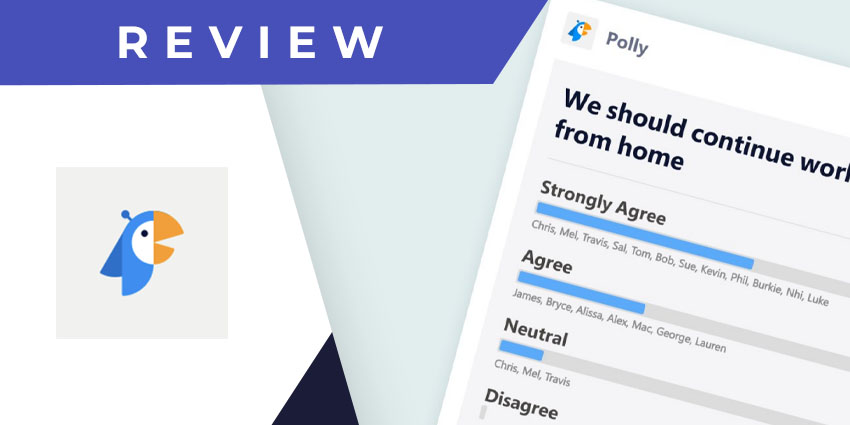
Enter Polly, one productivity app in Microsoft 365 that your organization can use to keep your work running smoothly. This Microsoft Teams integration is designed to help you boost engagement, gain valuable insights, and work with less disruptions.

Whether it’s for HR, operations, meeting feedback, or team morale checks, Polly makes it easier to keep your finger on the pulse of your organization. Let’s explore its features and benefits, and dive into how it plays a role in improving your Microsoft 365 productivity.

What is Polly and When Should You Use It? Understanding This Key Microsoft Productivity Tool

Polly is an app that creates interactive polls, surveys, and more directly in Microsoft Teams with powerful analytics to help you get the most from recipient responses. Unlike traditional survey tools, Polly is also designed for speed, accessibility, and low-friction interaction right where people already work. You can even gain access to pre-built templates to cut down on manual labor and save you time for more important work. A trusted IT partner can ensure your Microsoft Teams productivity tools are properly integrated and tailored to your organization’s needs.

Many teams find Polly useful in a variety of situations where quick input and engagement matter most, like:

  • Improve Employee Engagement and Workplace Culture: Give HR and leadership clarity about how teams feel about the work environment (culture, workload management, policies, etc.) and measure how any initiatives perform. 
  • Collect Meeting Feedback to Enhance Collaboration: Right after a meeting happens, get input from participants about what went well and what didn’t to improve meeting quality over time.
  • Gain Valuable Onboarding Feedback from New Hires: Let your new hires tell you what is and isn’t working in their onboarding journey.
  • Simplify Decision-Making with Quick Polls: Make choices fast and collect opinions easily, even if everyone isn’t in the same place.
  • Foster Connection with Team-Building Activities: Have a little fun with trivia, word clouds, ice breakers and interactive polls that encourage your team to build stronger connections.

Why Should You Choose Polly Over Other Survey Tools in Microsoft Teams?

Many apps and engagement tools are available for Microsoft Teams, but Polly offers a few unique advantages.

1. Seamless Microsoft Teams Integration 

One of Polly’s biggest strengths is how seamlessly it fits into Teams. Instead of needing to switch between apps or send out separate survey links, Polly is right there. People will be more likely to participate in your polls, and face less disruptions to their work. They can easily launch a quick poll during a meeting, or drop a pulse survey into a chat without needing the team to leave their current workflow.

This level of integration is ideal for busy teams, who may ignore or delay responding to traditional survey emails, but will respond instantly if you reach them where they’re already working.

2. Real-Time Feedback

Timing matters when it comes to feedback. If people can’t give their fresh impressions, insights may not be fully accurate. With Polly, your organization can collect instant reactions to initiatives, changes, or decisions. Whether you’re testing a new onboarding program’s effectiveness, deciding on a date for a team event, or checking in on team morale, you can use Polly to ask the question and see results as they roll in. This real-time feedback will help you act quickly and confidently when resolving challenges and adapting strategies to improve performance

3. Higher Engagement 

Traditional surveys often suffer from low engagement because they take too long and aren’t easily accessible. Instead, the Polly app keeps the experience quick and interactive. Because Polly blends into Teams, participating doesn’t feel like a task, but rather, a natural part of conversation. 

Responding to a Polly poll typically takes only seconds. There’s no long form to fill out, no log-in required, and no confusing interfaces. As a result, you can expect significantly higher response rates and better-quality feedback compared to standard survey platforms. This makes Polly one of the top productivity solutions for Microsoft Teams that drives consistent employee engagement. 

4. Anonymity and Trust

Getting honest feedback can be challenging if employees fear their honest responses might lead to negative consequences in the workplace. Polly addresses this concern, allowing users to set polls and surveys to anonymous. With these settings, team members can access a safe space to share their thoughts, frustrations, or suggestions.

While it’s never fun to receive criticism, receiving anonymous responses makes it easier to detect problems that might otherwise go unreported. You may learn new information about issues with company culture, burnout, or management that are impacting your organization’s health. Armed with this information, your organization can make the necessary changes for a more productive, thriving team and strong operations.

5. Data-Driven Decision-Making

Polly doesn’t just collect feedback; it transforms it into actionable insights. With built-in analytics, you can view trends, participation rates, and response breakdowns. These insights help you understand sentiment over time, identify recurring themes, and track changes after implementing new initiatives. You can use these numbers to continuously improve how you leverage the tool to engage your team more effectively.

How to Get Started and Use Polly in Teams

Excited to use Polly in your organization? It’s easy to install the Polly app:

  1. Click on the three dots at the bottom of your navigation bar, left of the screen in Teams. You can search for and download any application here and pin it to your navigation bar so that it is always visible and accessible.
  2. Now, whenever you start a conversation in a channel or chat, you will see a Polly icon among the others (like attachments and gifs).
  3. You can also add Polly as a tab into any Team by simply clicking on the + sign at the top of the intended Team. Search for Polly to add it.

Now that you have Polly installed, how does it work? Wherever you’d like to access its features, simply click on the Polly icon to open it! 

It’s important to note that Polly has several versions: a free version, as well as several levels of paid subscription versions, including Standard, Pro and Enterprise. Depending on your subscription, you may have access to different features. For example, the Free version limits responses to 25 engagements, restricts template and results sharing, and lacks the advanced permissions and access controls available in the Enterprise version.

Partner with designDATA to Make Microsoft Teams Productivity Tools Work for You

When so many organizations operate in hybrid and remote work environments, you can’t afford to run in the dark without understand what’s happening with your team. You should know what your teams thinks and feels, quickly and on a consistent basis. The Polly app in Microsoft Teams gives you visibility without friction and makes getting feedback feel natural, encouraging engagement feel easy, and making data-driven decisions feel achievable. 

At designDATA, our experts offer comprehensive managed services for your Microsoft 365 environment and entire IT infrastructure. We’re here to help you tackle your organization’s biggest struggles with engagement, productivity, and collaboration, so you can rely on tools that empower you to achieve your goals.

Want to get more out of your technology? Contact us to discuss how you can improve engagement and productivity across your organization.

How Microsoft Teams Productivity Tools Like the Polly App Improve Engagement and Efficiency Read More »

Microsoft Viva Insights and Measuring Employee Productivity

How Microsoft Viva Insights Improves Productivity for Microsoft 365 Users in Washington DC

How Microsoft Viva Insights Improves Productivity for Microsoft 365 Users in Washington DC

Employee experience is one of the clearest indicators of operational success. From day-to-day communication and tech tools to company culture and even workspace ergonomics, the way your team interacts with the workplace has an impact. Yet despite its influence on engagement, retention, and performance, employee experience and well-being have long been overlooked.

That’s starting to shift. More organizations now recognize that supporting staff well-being is both ethical and offers them a strategic advantage for attracting talent and achieving their most ambitious goals.

To help organizations accomplish this, Microsoft introduced Viva Insights in 2021, building on and integrating its earlier Workplace Analytics tool to provide a productivity solution that offered meaningful, data-driven insights.

In this article, we’ll explore how Viva Insights offers you a powerful, feature-rich solution to create a healthier, more productive work environment for Microsoft 365 Business users in Washington DC and beyond.

First of All, Here’s Why Employee Experience Matters More Than Ever 

In a digital-driven world where work never stops, the way employees experience their day-to-day can make or break a business, and tools like Microsoft Viva are quietly reshaping how companies keep their teams energized and connected.

A workplace’s setup and culture significantly influence how people feel about their work, how well they collaborate, and ultimately, the organization’s success. 

When employees feel overwhelmed or disconnected, engagement drops, stress rises, burnout becomes a real threat, and some valuable team members even end up leaving the organization. Research shows that teams with low engagement can experience turnover rates up to 43% higher than their more engaged counterparts.

To avoid these pitfalls, organizations should prioritize helping their teams achieve a healthy work-life balance. It’s a win-win situation! Organizations that truly prioritize the employee experience see higher productivity, greater innovation, and stronger retention

Innovative employee engagement tools that provide meaningful insights and support can help you along that journey. You’ll have the data to keep your team focused, connected, and balanced, even in the fastest-paced, complex environments.

What Is Microsoft Viva Insights?

Understanding how work really happens can be a challenge, especially in fast-moving organizations. Microsoft Viva Insights can be especially useful in clarifying employee behaviour. This tool is part of the broader employee experience platform, Microsoft Viva, which brings together tools and insights across several modules, including Viva Connections, Viva Insights, Viva Learning, and Viva Topics. 

As part of this ecosystem, Viva Insights is designed to help you identify patterns in collaboration, meetings, and focus time. You can analyze data from the Microsoft 365 productivity tools your team uses daily and gain a comprehensive view of how people work without disrupting their flow.

The goal isn’t to track employees for the sake of it or to make them feel under scrutiny. Instead, you’re looking for meaningful information that provides your team with a roadmap for improving productivity and well-being. When you understand how your team interacts and where they might be stretched too thin, you can take action to make their work life more enjoyable and rewarding.

The Available Microsoft Viva Features to Create a Stronger Workplace

Staying efficient today means more than just checking off tasks. Whether for maintaining in-office, remote or hybrid work productivity, people need a workplace where they can do their jobs effectively. Microsoft Viva brings together a set of features designed to do just that. Let’s take a look at what’s available:

Personal Insights to Help Individuals Find Focus and Balance 

These days, communication has become essentially 100% virtual, making it difficult to step away from the office. For individual employees who want to build better habits and make their workday more manageable, why not help reduce burnout with Microsoft Viva Insights? With this practical well-being at work solution, you can explore the:

Wellness Tab: This dedicated space offers a variety of focus time and well-being tools that support your daily routine:

  • Take guided meditations with Headspace
  • Read articles on mental health
  • Schedule focus time
  • Set reminders for breaks
  • Access tools to reduce after-hours email

You’ll find insights woven into the Microsoft tools you already use, too: 

  • Microsoft Teams: Use the Viva Insights app to receive real-time suggestions directly within your workflow. It can remind you to protect time for focus, stay connected with your team, or even wrap up your day with a “virtual commute.”
  • Outlook: The Viva Insights add-in provides helpful context around your emails and schedule, such as preparation for upcoming meetings, reminders to reconnect with key colleagues, or prompts to plan time away to avoid burnout.
Personal Insights to Help Individuals Improve Their Productivity in Meetings

If your calendar feels like it’s constantly packed with meetings, but you’re not sure which ones are worth the time, Viva Insights can provide clarity. It gives you a private view of your meeting habits, helping you track factors like:

  • How much of your meeting time overlaps with focus hours
  • The types of meetings you attend most (1:1s, team syncs, large calls)
  • How often meetings you organize run over or are double-booked
  • Whether multitasking happens during your meetings

You can also use Viva Insights to ask participants directly about their experience. Built-in meeting effectiveness surveys make it easy to get quick, anonymous feedback from attendees. That way, you’re not guessing whether a meeting was useful and instead, you’re learning exactly what works, what doesn’t, and how to make future meetings more valuable.

Manager Insights to Improve Communication and Collaboration

A big part of employee engagement comes down to how supported people feel in their work—and that support begins with strong connections between managers and teams. To help them lead with empathy while driving better outcomes, you can suggest Microsoft Viva for managers to explore the productivity patterns and well-being of their direct reports.

Using workplace analytics, managers can see how their teams are spending time across meetings, deep work, and after-hours activity. This information may reveal patterns that contribute to stress or burnout, and make it easier to have thoughtful check-ins, adjust expectations, and most importantly, set healthier team norms. For example, Viva lets you set up shared no-meeting days or focus plans through the Wellbeing tab, or coordinate more intentional scheduling with shared meeting plans in the Productivity tab.

To support their mission of data-driven workplace improvement, managers can also assess broader trends through organizational behavior reports on topics like:

  • New hire onboarding and integration
  • External collaboration with stakeholders
  • Meeting cost and quality
  • Hybrid workplace patterns

With Viva Insights, you can measure productivity in Microsoft 365 more effectively and track progress over time. And with the help of Microsoft 365 Copilot, you can ask targeted questions to uncover even deeper insights that help build a more resilient work environment.

How designDATA Helps You Get the Most from Viva Insights

Understanding employee behavior is key to creating a healthier, more productive workplace culture. When staff, managers and organizations have clear insights into how work actually gets done and how people feel along the way they can make smarter decisions that improve engagement, reduce burnout, and strengthen collaboration. We’ve seen how tools like Microsoft Viva provide this visibility and help teams work more effectively together.

No matter the complexity of your business needs, designDATA is ready to support you in integrating Microsoft Viva Insights and other Employee productivity tools. As your IT partner, we’ll help you measure, understand, and boost employee productivity so your organization can thrive in today’s evolving work environment.

Ready to improve productivity and well-being in your organization? Talk to a Microsoft expert at designDATA today!

How Microsoft Viva Insights Improves Productivity for Microsoft 365 Users in Washington DC Read More »

A person sitting at a desk on a video call with four team members, each shown in separate windows on a computer monitor.

5 Ways to Leverage Microsoft Teams for Remote Work Success 

5 Ways to Leverage Microsoft Teams for Remote Work Success

These days, the traditional office setup has evolved. For many employees, it’s now a spare room in their home, their kitchen table, a quiet coffee shop or anywhere they can find reliable WiFi!  

Yet while remote and hybrid work models offer valuable flexibility, teams often struggle to effectively communicate in this environment. It’s harder to feel connected to your colleagues without the in-person interactions that foster team cohesion. The different work schedules also often mean delayed responses that slow projects down. 

To address these challenges, many organizations are turning to Microsoft Teams for remote work management. The platform bridges the gap between distributed teams and traditional workplace environments, offering a central hub for various Microsoft productivity solutions. 

Despite its popularity, many teams only scratch the surface of what Teams can do. Let’s explore five innovative tools in Microsoft Teams that spark creativity and promote collaboration. 

Remote Work Calls for the Right Tools—Not Just More of Them 

Many assume that investing in a wide range of technologies will translate to a better remote work setup.  

But remote collaboration tools won’t make work life easier if they don’t align with your team’s objectives. A sprawling array of unstrategic software and platforms just creates confusion, hinders communication, and makes it harder to stay organized with core tasks. 

Microsoft Teams streamlines communication, file sharing, and project management, making collaboration far more efficient. The program consolidates multiple functions into one place, so your staff can spend less time juggling between different apps and searching for information in multiple inboxes or chat threads. 

Effective remote and hybrid work technology should also provide a good user experience. A feature-packed tool is only useful if it’s intuitive to adopt; if your interfaces are complicated and clunky, your team will just be frustrated and less productive. But when staff can quickly grasp collaboration tools, they’ll feel empowered to do their best work in a cohesive environment. 

Innovative Microsoft Teams Features for Upleveling Your Operations 

If you’re already a user, you likely know about the basic Microsoft Teams features for
meetings and chatting. But there’s a lot more to explore! Here are five great tools that many users don’t know about: 

  1. Announcements: Broadcast Messages Like You’re in the Office

In a physical office, sharing important updates can be as simple as gathering your team into one room or even calling something out over your cubicles. 

In Microsoft Teams, the Announcement feature offers a digital version of that experience to enhance your remote work productivity. You have the ability to highlight key messages—whether about an upcoming project, meeting, team event or other news worth a can’t miss, teamwide alert—by displaying them as a banner at the top of a channel post. 

These announcements are highly customizable: 

  • Add a title, upload an image, and even mark them as important with a red exclamation point to make them stand out.  
  • Post in a single channel or shared across multiple channels at once. If needed, you can also send them via Outlook for broader visibility.  
  • Create a custom announcement background using Microsoft Designer, where you can even use AI to turn simple text instructions into fully rendered visuals or browse existing templates for ideas. 
  1. Whiteboard & Mural: Brainstorm in Real-Time, Virtually

Visual collaboration is really important for creating a shared sense of clarity where everyone in your workplace aligns on projects and goals. 

Microsoft Teams offers two great features for visual brainstorming: 

  • Whiteboard: This digital whiteboard for teams brings the feel of a boardroom into your virtual meetings. On a shared digital canvas, participants can sketch, write, and brainstorm ideas in real time. You can add sticky notes, text, shapes, and even reactions to quickly offer your opinions. Templates are also available to help structure these collaborative sessions more effectively. 
  • Mural: This Microsoft Teams integration similarly makes organizing ideas and planning projects more engaging and effective. Using this app, employees can create and brainstorm together using diagrams, sticky notes, and templates in one centralized visual collaboration app. While Whiteboard is helpful for meetings, Mural supports asynchronous communication: you can add a Mural as a tab to any chat or channel in Teams, making it easy to revisit and continue collaboration whenever needed. 
  1. Together Mode: Recreate the Meeting Room Experience

Together Mode brings a sense of presence to Microsoft Teams meetings. The virtual meeting software uses AI segmentation technology to place participants, up to 40 at a time, in a shared background, making it look and feel as though everyone is in the same room. 

Your meeting’s organizer can assign seating for each participant, and you have the option to customize your background to reflect your organization’s branding or culture. 

While it’s not necessary for everyone to use the feature, it works best when everyone has their camera on. When all meeting attendees are visible at once, it’s easier to pick up on body language, see how people react to each other, and keep the conversation flowing more naturally.

  1. Customized Channels: Organized, Ongoing Collaboration

Much like teams working together in a physical office, Microsoft Teams channels offer a streamlined way to manage projects and collaborate efficiently.  

You can use channels to create various sub-sections within each team, essentially individualized team communication platforms that are tailored to reflect your organization’s structure, ongoing projects, or specific goals. Benefits include: 

  • Shared Space: Each channel offers a communal environment where members can meet, communicate, and collaborate on documents in a central location. By choosing to ‘follow’ a channel, team members can stay in the loop with any associated updates and activity.  
  • Contextual meetings: You can schedule meetings directly within a channel, making all related materials—chats, documents, and transcripts—easy to access and searchable within the ongoing conversation. 
  • Operation-specific functionality: Users can even leverage integrated Microsoft Teams apps to customize the experience further: messaging and meeting extensions, bots, connections to various web services, and more. 
  1. Optimizing Hybrid Work with AI-Powered Tools

Introduced in fall 2024, Teams Premium users can now access Microsoft Places, an artificial intelligence app and powerful hybrid work technology for optimizing in-office days. 

Employees working in person can see who is nearby to coordinate meetups or use the application to book desks and meeting rooms. You can even leverage its algorithm to determine recommended in-office days based on existing schedules, helping your team make the most of face-to-face collaboration while reducing unnecessary commutes. 

Microsoft Teams also integrates with Copilot to use AI to enhance your experience in other ways: automating notetaking, creating meeting summaries, drafting messages, catching up on chats, and more.  

Need Help with Microsoft 365? We’re Here to Support You 

If your organization isn’t using Microsoft Teams yet, switching your communication system might not feel appealing. Who wants to train employees on new software and uproot their existing routines? And if your workplace already uses Teams, you might be concerned about overwhelming staff with unfamiliar features or sudden changes. 

But adopting new technologies doesn’t have to be stressful with the right IT partner.  

At designDATA, we help businesses unlock the full potential of Microsoft 365 with tailored implementation, training, and support

Want to get more from Microsoft Teams? Our experts can help you use your collaboration tools strategically to boost productivity, no matter where your team is located. Let’s connect to discuss how we can train your team for long-term remote work success. 

5 Ways to Leverage Microsoft Teams for Remote Work Success  Read More »

Talk With Our Productivity Expert